Attorney Core vs CoCounsel
A practical comparison for firms that want more than a PI-only case tool: intake, matters, billing, documents, payments, communication, and AI workflows in one workspace.
We confirm available workflow scope, onboarding, and any provider requirements before a firm begins rollout.
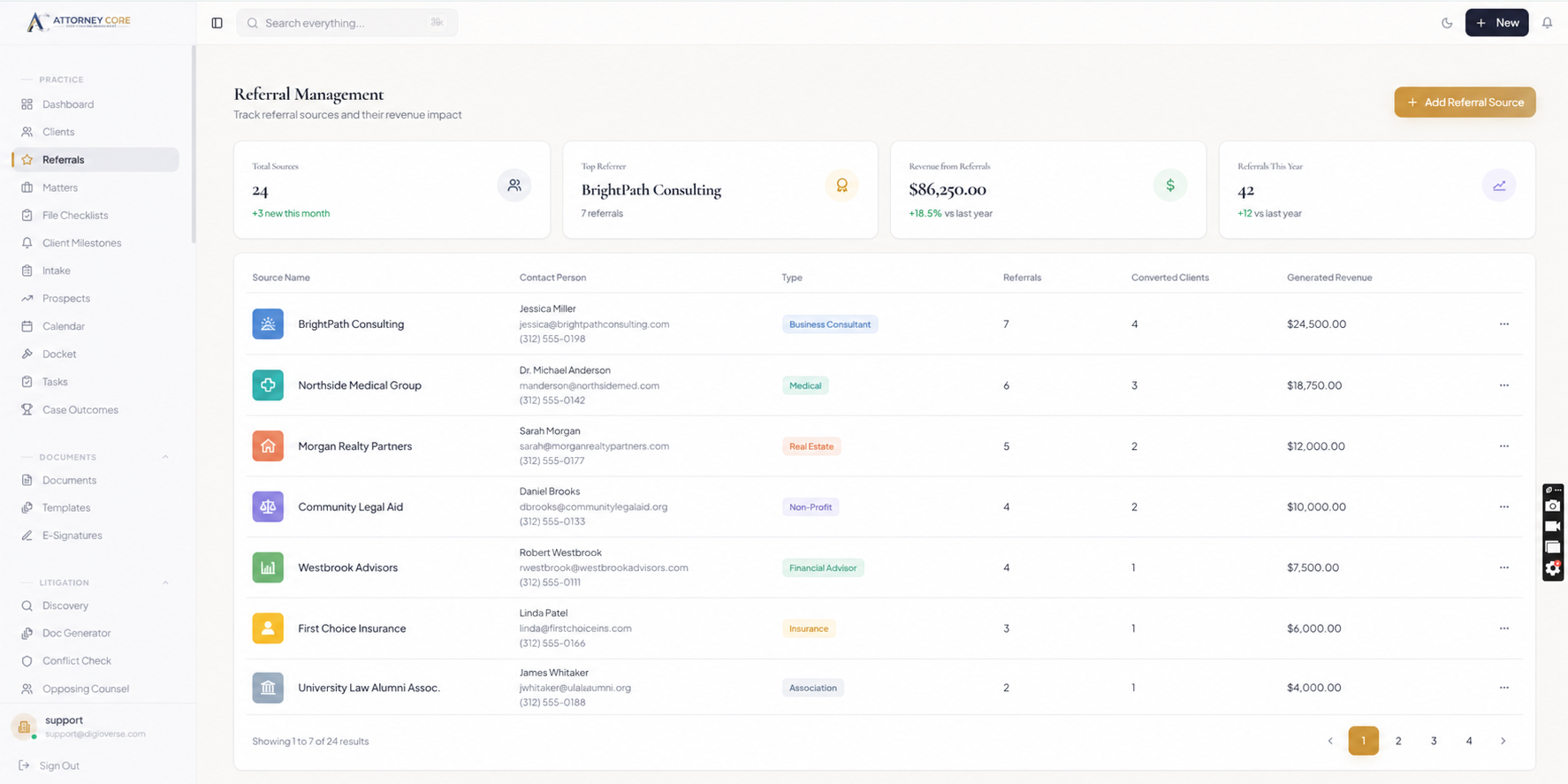
CoCounsel is often evaluated by personal injury firms looking for PI-focused workflows. Attorney Core is built for small and growing U.S. law firms that want a broader legal operating system across practice areas.
If your firm needs intake, matters, task management, calendaring, reporting, collaboration, billing, payments, documents, client portal access, and AI-assisted workflows in one place, Attorney Core is designed around that connected operating model.
This comparison helps firms decide whether they need a specialized PI workflow product or a more complete business system for running the full firm from first intake to final payment.
See Attorney Core in action
From first lead to final payment.
A simple walkthrough of how one matter moves through intake, AI assistance, conflict checks, documents, billing, and client updates.
New lead comes through the embedded intake form
AI summarizes the intake and highlights missing facts
Conflict check starts before the consultation
Consultation is booked and tracked on the firm calendar
Matter is created automatically after the lead is qualified
Documents are uploaded, shared, and prepared for signature
Invoice or payment plan is generated from the matter
Client receives a portal, SMS, or communication update
Firm dashboard shows revenue, deadlines, workload, and next steps
Explore the workflows relevant to your firm
Review the product areas your firm wants to evaluate in a guided walkthrough.
Built for Small U.S. Firms
Attorney Core focuses on practical intake, matters, billing, documents, client portal access, and admin control.
AI-Assisted Workflows
AI features sit beside the practice workflow instead of living in a disconnected chat-only experience.
Billing Visibility
Invoices, payment plans, reminders, reporting, and trust-aware workflows stay connected to clients and matters.
Client Communication
Portal access, communication logs, SMS/WhatsApp paths, and client updates are part of the same operating system.
License and Admin Control
Super-admin tools, license controls, role permissions, and audit logs help owners manage access more deliberately.
Documents and E-Signatures
Document storage, templates, client sharing, and signing workflows support day-to-day legal work.
When Attorney Core May Be the Better Fit
- You want one platform across PI, immigration, family, estate planning, criminal defense, and general practice
- You need billing, payments, documents, client communication, and AI workflows connected to matters
- You want smart intake-to-matter automation rather than disconnected lead handling
- You want firm-owner dashboards for revenue, unpaid invoices, workload, and conversion visibility
- You want a platform positioned as a law firm operating system, not only a single practice-area case tool
Launch checklist
What buyers should see before booking.
A clear intake-to-matter workflow
Real product screenshots, not abstract illustrations
Transparent pricing and guided onboarding path
Security controls stated without unsupported claims
A focused 15-minute demo option for attorneys
Comparison
Attorney Core vs CoCounsel
A fair high-level comparison. Competitor availability can vary by plan, setup, integrations, or provider roadmap.
Trust without hype
Built for U.S. law firm operations.
Published plans start at $49/user/month · Confirm plan scope, provider requirements, and onboarding during evaluation.
Related guides
Compare the workflows buyers search for.
Explore the connected Attorney Core pages for billing, management, payments, intake, and client communication.
Platform Comparison Hub
Side-by-side comparison across top legal practice management software platforms.
Attorney Core vs Clio
Compare core workflows, pricing fit, migration questions, and the Attorney Core trial.
Attorney Core vs MyCase
Compare matter management, billing, client portal, documents, and AI workflows.
Attorney Core vs PracticePanther
Compare intake, matters, billing, automation, reporting, and small-firm usability.
Attorney Core vs Smokeball
Compare matter management, billing, documents, and automation workflows.
Best Clio Alternative
Evaluate a focused, modern Clio alternative built for small law firms.
Filevine Alternative
Compare matter management, integrated billing, and onboarding speed against Filevine.
CosmoLex Alternative
Compare IOLTA trust accounting, modern user interface, and AI workflows with CosmoLex.
Law Firm Software Pricing
Compare plans and start a 14-day free trial (no credit card required).
Software Comparison Guide
Use a buyer-focused guide to evaluate legal software platforms and migration fit.
Frequently Asked Questions
Is Attorney Core a CoCounsel alternative?
Yes. Attorney Core can be considered by firms comparing CoCounsel alternatives, especially if they want broader small-firm operations across intake, matters, billing, documents, payments, communication, and AI workflows.
Is Attorney Core only for personal injury firms?
No. Attorney Core supports PI workflows, but it is designed as a broader operating system for multiple U.S. practice areas.
Can Attorney Core support a small law firm without an IT team?
Yes. Attorney Core is designed for small U.S. firms that need practical setup, guided onboarding, license-based access, and workflows that do not require a dedicated IT department.
Does Attorney Core include billing and client portal tools?
Yes. Attorney Core includes matter-connected billing, invoice workflows, payment plans, document sharing, client portal access, and secure client communication tools.