Law Firm Billing Software for Time, Flat Fees, Invoices, and Payments
Track hourly work, add fixed-fee items, manage retainers, send invoices, offer payment plans, and keep billing connected to every matter.
We confirm available workflow scope, onboarding, and any provider requirements before a firm begins rollout.
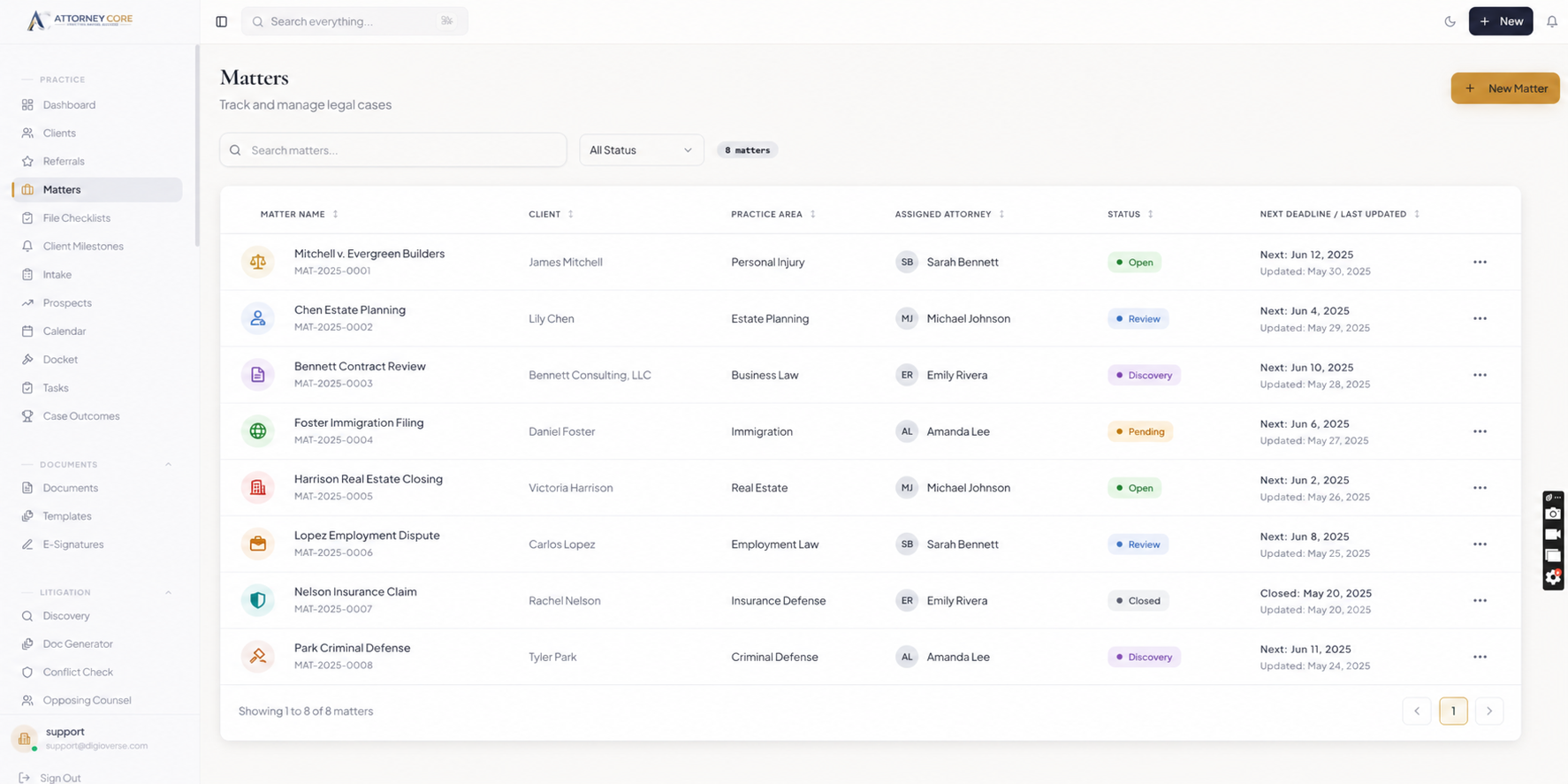
Law firm billing software should support the way attorneys actually charge clients. Some matters are hourly, some are flat fee, some use retainers, some need payment plans, and some require trust-account visibility. If billing lives outside the matter record, firms lose context and clients get a less professional payment experience.
Attorney Core keeps legal billing connected to the client and matter. Your team can track billable time, add fixed-fee services, attach expenses, review retainers, create invoices, send payment links, and monitor overdue balances without jumping between disconnected tools.
Compare billing in the context of a matter: fee arrangement, recorded work, approval, issued invoice, payment, and outstanding balance. Confirm trust-related workflows with the firm’s accounting professionals and test any payment provider separately before reporting collection as complete.
Test legal billing from fee agreement to receivables
Legal billing software is easier to assess when the demonstration starts with a fee agreement and ends with a reconciled balance. Test hourly and fixed-fee matters separately. Payment recording, invoice status, and trust movements are different events and should not be treated as interchangeable.
1. Set the fee arrangement
Review owner: Attorney and billing administrator
Evidence to check: Rates, fixed fees, billing contact, and retainer terms match the fictional engagement agreement.
2. Record work and costs
Review owner: Timekeeper
Evidence to check: Billable and non-billable entries, expenses, dates, and matter associations are distinguishable.
3. Approve the draft invoice
Review owner: Approving attorney
Evidence to check: Line items, adjustments, credits, invoice date, and due date can be reviewed before issue.
4. Record a partial payment or reversal
Review owner: Authorized billing staff
Evidence to check: The remaining balance and status are correct; a provider-dependent payment is confirmed separately.
5. Review aging and reconcile records
Review owner: Firm administrator and accountant
Evidence to check: Invoice balances agree with receivables, cancelled drafts are excluded, and trust records are reviewed separately.
Questions to bring to your software demonstration
- Do aging totals agree with the unpaid invoice balances for the same date range?
- Can a payment, refund, credit, and write-off be distinguished in the audit history?
- Which processing fees and payment-provider accounts sit outside the software subscription?
- Who approves trust transfers and checks the firm’s jurisdiction-specific reconciliation obligations?
Use fictional clients during evaluation. Attorneys remain responsible for legal decisions, deadline verification, and review of client communications; accounting and trust processes require the firm’s own review.
Use the free law firm software requirements checklist to record what your team has actually demonstrated.
See Attorney Core in action
From first lead to final payment.
A simple walkthrough of how one matter moves through intake, AI assistance, conflict checks, documents, billing, and client updates.
Create the client and matter, then choose hourly, flat fee, retainer, contingency, or hybrid billing.
Track billable time, add expenses, or create a fixed-fee invoice item for work that is not hourly.
Review unbilled work by matter before sending anything to the client.
Generate a branded invoice with payment link, due date, notes, and optional payment plan.
Send invoice reminders and track paid, overdue, trust, and outstanding balances in one place.
Use reports to review revenue, collections, write-offs, and matter profitability.
Explore the workflows relevant to your firm
Review the product areas your firm wants to evaluate in a guided walkthrough.
Time, Flat Fee, and Retainer Billing
Track billable time when work is hourly, add fixed-fee items when scope is set, and keep retainers visible by matter.
Invoice and Payment Workflows
Create professional invoices with payment links, due dates, notes, reminders, and payment-plan visibility.
Trust Accounting Workflows
Built-in ledgers and reporting support the firm’s reconciliation process; the firm remains responsible for compliance with its jurisdiction’s rules.
Expense Management
Log and bill court fees, expert costs, travel - organized by matter and included in client invoices automatically.
Billing Analytics
Review billable work, non-billable work, outstanding balances, collections, and matter profitability in one place.
Multiple Fee Arrangements
Hourly, flat fee, contingency, retainer, hybrid - each matter configured separately for maximum flexibility.
Stop the Revenue Leak in Your Law Firm Billing Process
- Capture billable work close to the moment it happens with one-click timers and manual entries
- Add flat-fee services, retainers, expenses, and custom invoice line items without forcing every client into hourly billing
- Give clients a clear payment path with invoice links, payment-plan visibility, and portal access
- Send payment reminders professionally while keeping invoice history tied to the matter
- Maintain trust-ledger records with reconciliation support and audit history
- Support hourly, flat fee, contingency, and retainer billing from the same platform
- Understand firm profitability with billing analytics and realization rate reports
Launch checklist
What buyers should see before booking.
A clear intake-to-matter workflow
Real product screenshots, not abstract illustrations
Transparent pricing and guided onboarding path
Security controls stated without unsupported claims
A focused 15-minute demo option for attorneys
Trust without hype
Built for U.S. law firm operations.
Law firm billing software built into the full practice workflow
Attorney Core helps small firms move from work performed to invoice sent to payment collected without separating billing from the matter. Start with time tracking, fixed fees, retainers, payment plans, and invoice reporting, then connect those workflows to documents, client communication, and firm management.
Published plans start at $49/user/month · Confirm plan scope, provider requirements, and onboarding during evaluation.
Related guides
Compare the workflows buyers search for.
Explore the connected Attorney Core pages for billing, management, payments, intake, and client communication.
Small-Firm Billing Buyer Guide
Compare billing platforms by workflow coverage, permissions, reporting, migration effort, and total cost.
Legal Time and Billing Software
Compare hourly, fixed-fee, retainer, and trust-aware billing workflows for law firms.
Law Firm Invoice Software
Create professional invoices, payment plans, reminders, and client payment links.
Law Firm Client Intake Software
Capture website leads, run conflict checks, book consultations, and convert prospects into matters without re-entry.
Client Portal Software
Give clients secure access to invoices, documents, updates, and messages.
Law Firm Management Software
See how Attorney Core connects intake, matters, billing, documents, payments, and client communication.
Pricing
Compare Starter, Growth, AI Pro, and Enterprise pricing options for U.S. law firms.
Frequently Asked Questions
Does Attorney Core support contingency and flat fee billing?
Yes. Attorney Core supports hourly, flat fee, contingency, retainer, and hybrid billing arrangements. Each matter is configured with its own billing arrangement, and the system supports multiple fee types within the same firm.
Can clients pay invoices online?
Yes. Attorney Core is designed for invoice payment links so clients can review an invoice and move directly into payment when online payments are configured for the firm.
Does it include IOLTA trust accounting?
Growth and higher plans include trust-account ledgers and retainer tracking to support the firm’s reconciliation process. Attorneys and accounting professionals must verify records and compliance with applicable rules.
How hard is it to migrate from another legal software platform?
For most small firms, the key is to migrate active workflows first: clients, matters, documents, billing status, deadlines, and staff ownership. Attorney Core is positioned for guided adoption rather than a long enterprise rollout.
Does it include trust accounting?
Starter includes core billing records. Growth and higher plans add trust and retainer tracking. These tools assist reconciliation but do not constitute legal, accounting, or compliance advice.
Does client intake flow into the matter without duplicate entry?
Yes. Attorney Core is designed so structured intake data can support conflict checks, client conversion, matter setup, and follow-up workflows without forcing staff to retype the same facts across different tools.
Can clients access their cases?
The client portal supports authorized access to shared case information. Confirm available documents, updates, billing views, communication, and any provider-dependent payments in the proposed plan and deployment.
Is it available as a desktop app?
Yes. Attorney Core runs in any web browser and is also available as a Windows desktop app for attorneys who prefer desktop software.